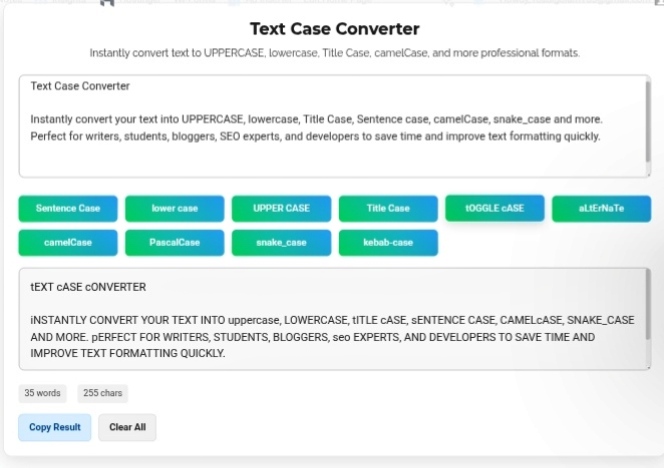
You might think converting text between formats is just a minor detail. Who really notices if something’s in title case or sentence case? But step into fields like data science, software development, legal docs, or content marketing—suddenly, these little style choices are crucial. The Text Case Converter isn’t just about looks; it’s a must-have tool if you want work that feels polished and professional.
Why bother with format consistency? Picture reading a blog post where every paragraph launches in a weirdly different style, or seeing one header in all caps and the next one mixed. It’s distracting. Honestly, people trust you less when your content looks sloppy. Keeping casing consistent basically tells readers: “Yep, I know what I’m doing.” Whether you’re fine-tuning a resume, building a landing page, or creating a brand logo, sticking to the right typographic hierarchy makes everything easier to read and just feels right.
Take software development: Developers use tons of case styles, all over the place. Variables go in camelCase, classes in PascalCase, database stuff in snake_case, and HTML tags stick to lowercase. Typing these out by hand? It gets old, and mistakes slip in. A quick converter keeps things tidy and speeds up your workflow.
Same goes for data entry—especially when you’re cleaning up CSVs. You might grab info from ten sources and end up with “NEW YORK” next to “New York.” Standardizing the case is basically the difference between a clean report and a messy headache.
Legal and academic documents have their own strict rules. Style guides (APA, MLA, Chicago—you name it) set out how titles and citations should look. Mess up the casing, and suddenly your thesis or contract seems unprofessional.
Social media? It’s a game of visual style. Maybe you want an Instagram bio that’s totally lowercase for that modern vibe. Or you need a headline in ALL CAPS to grab attention. Being able to flip the style instantly helps marketers experiment and find what works best.
So what case styles are out there?
Honestly, nobody has time to mess around with manual formatting in Word, especially when you’re dealing with massive text dumps or API data. Dedicated tools let you tidy things up fast. Just run the text through, paste it wherever you need—done.
Bottom line: precision in language isn’t just about spelling and grammar. Formatting matters, too. A great case converter takes away the hassle, makes your final output look clean, sharp, and consistently right.
Clean up messy text instantly—just try our converter. https://seobricxtool.com/4831-2/