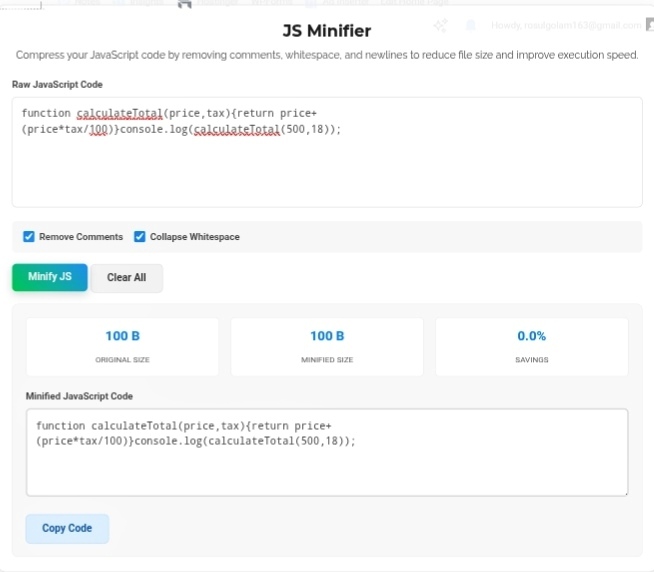
Let’s talk about something that makes developers cry — slow websites. Like, genuinely painful slow. You know the ones. You click, you wait, you stare at a blank screen, you question your life choices. Google’s Core Web Vitals update basically said “enough” and made page speed a direct ranking factor. Translation: if your site is slow, you’re invisible. One of the easiest wins? Optimize your client-side code. And the JS Minifier is the tool that makes that stupidly simple. So What Actually Is Minification? Okay, here’s the thing nobody tells junior devs. When you write JavaScript, you leave spaces, indentation, comments, newlines — all that beautiful formatting that makes code readable for humans. Browsers? They don’t care. At all. They’ll execute the exact same logic whether your code looks like poetry or a wall of compressed gibberish. A minifier does exactly two things:
Collapses whitespace — Every unnecessary space, every line break, every indent that made your code pretty? Gone. Poof.
Removes comments — All those // TODO: fix this later notes and /* this function does something */ explanations? Deleted. The browser never needed them anyway. The result? File size drops by 30-70%. Sometimes more. Your script downloads faster, parses faster, executes faster. And you didn’t have to rewrite a single line of actual logic. Why Your Users Actually Care Look, every kilobyte matters. I know that sounds dramatic, but on a slow 3G or spotty 4G connection? Those milliseconds add up fast. I’ve tested sites where minifying JS shaved half a second off load time. Half a second doesn’t sound like much until you realize users bounce if your site takes longer than 3 seconds to show anything. When scripts load quickly, your interactive elements appear sooner. Buttons work. Dropdowns respond. Forms validate. Users stick around longer. Time-on-site goes up. Bounce rate goes down. Google notices. It’s a beautiful chain reaction that starts with one simple compression step. My Actual Workflow Manually stripping whitespace? Absolute nightmare. I’ve tried it. Missed a space somewhere, broke the entire file, spent an hour debugging what should’ve taken 10 seconds. Never again. Now? I paste my raw, messy, beautifully commented code into a JS Minifier, hit “Minify,” and get back this compressed block of code that’s production-ready. The tool even shows me exact savings — “Reduced by 62.4%” — which is weirdly satisfying to see. Clean code for me, fast code for users. Best of both worlds. Bottom Line Code quality isn’t one thing — it’s two. Readable code for the developer writing it. Fast code for the user experiencing it. The JS Minifier lets you have both without compromise. Keep your beautiful, commented, indented masterpiece for development. Ship the compressed, stripped, lightning-fast version for production. That’s not just professional — it’s essential in 2026.