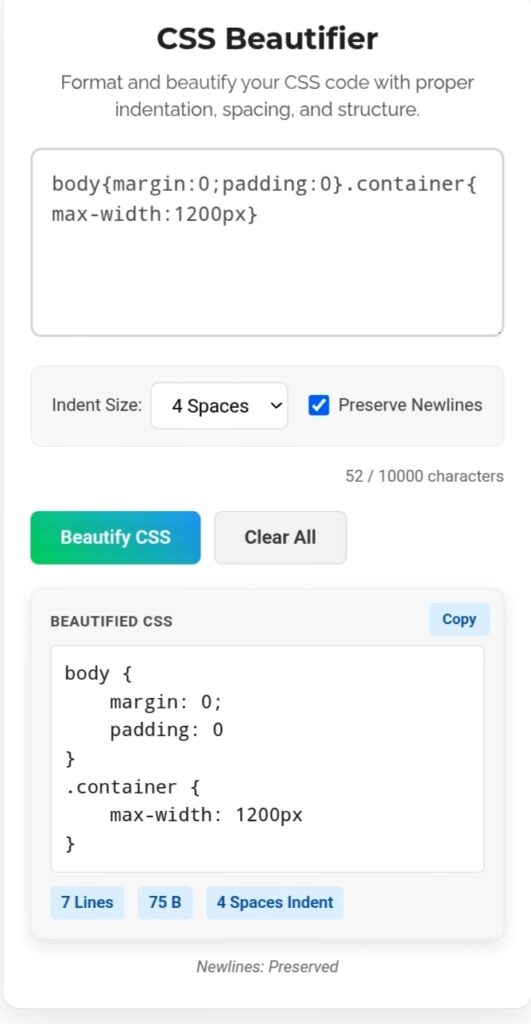
You know that sinking feeling? You open a CSS file — maybe yours from six months ago, maybe something a teammate “finished” — and it’s just… chaos. One massive line. No spaces. Properties crammed together like sardines. You need to change one color and suddenly you’re hunting through 800 characters of compressed gibberish. I’ve been there. It’s genuinely painful. That’s exactly why a CSS Beautifier isn’t just nice to have — it’s basically survival gear for anyone who touches stylesheets.
What This Actually Does For You
Browsers don’t care about pretty code. They’ll parse a wall of text just fine. But humans? We need structure. We need to see the hierarchy. A beautifier takes that compressed nightmare and transforms it into something your brain can actually process.
Indentation — Remember nested selectors? The beautifier automatically aligns everything inside those { … } blocks. Suddenly you can see which properties belong to which element without squinting.
Line breaks — No more horizontal scrolling through one endless line. The tool breaks everything into chunks that fit your screen. Your eyes thank you. Your sanity thanks you.
Property sorting — This one’s underrated. The tool can alphabetize your properties, so margin sits next to padding , border near background . Spotting missing styles becomes instant. No more “did I add that hover state or not?” guessing games.
Why Your Team Actually Needs This
Look, I’ve worked on projects where three developers touched the same stylesheet. One used tabs, one used spaces, one apparently hated readability entirely. The Git history? A disaster. Merge conflicts everywhere. Code reviews took twice as long because nobody could tell what changed.
A standardized beautifier fixes this. Everyone’s code looks the same. Same structure, same spacing, same organization. You stop fighting over formatting and actually fix bugs. Cognitive load drops significantly — you navigate complex designs without wanting to throw your laptop.
When I Actually Use It
Downloading libraries — That minified CSS from some CDN? Beautify it first. Always. Before you change a single line, see what you’re actually working with.
Receiving teammate code — Someone sends you their styles. Looks like alphabet soup. Run it through the beautifier, suddenly it’s readable. Debugging becomes possible instead of traumatic.
Before any debugging session — Seriously. Don’t try to fix what you can’t read. Five seconds of beautification saves you thirty minutes of squinting and cursing.
My Honest Take?
Compressed CSS is for browsers. Beautiful CSS is for humans. The CSS Beautifier bridges that gap without breaking anything. Your future self — the one who has to maintain this project in six months — will be genuinely grateful. Trust me on this one.
Go make your stylesheets readable before you touch another line of CSS. https://seobricxtool.com/4892-2/