Let’s talk about something that keeps developers up at night — slow websites. Not just “eh, it’s a bit sluggish” slow. I’m talking about the kind of slow where you click a link, go make coffee, come back, and the page is still loading. Google’s Core Web Vitals update basically said “nope, we’re done with this” and made page speed a direct ranking factor. Translation: if your site crawls, you’re invisible. And here’s the kicker — one of the easiest fixes is something most people ignore completely. HTML Minification. Strip the bloat, shrink the file, watch your site actually fly.
What Actually Gets Stripped Out?
Okay, so when developers write HTML, we make it pretty. Indentation, line breaks, comments, empty lines — all the stuff that makes code readable for humans. Browsers? They couldn’t care less. They parse HTML character by character, and every extra space is just dead weight slowing things down.
A proper HTML Minifier goes through your code like a ruthless editor and removes:
Whitespace — All those tabs and empty lines that made your nested divs look beautiful? Gone. The browser never saw them anyway.
Comments — Your notes? Deleted. Useful for you, completely useless for the user. Every byte counts.
Redundant tags — HTML5 actually lets you skip some closing tags in certain situations. A smart minifier knows this and trims them out. Your code still works perfectly, just with less fluff.
Why This Actually Matters for Rankings
Look, this isn’t just about making developers feel good. Compressing your HTML directly hits the metrics Google actually tracks:
Time to First Byte (TTFB) — Smaller file = faster server response. Your browser gets the first chunk of data quicker.
Largest Contentful Paint (LCP) — The main content shows up faster. Users see something happening instead of staring at a blank screen.
On mobile networks especially? This is huge. I’ve seen sites where minifying HTML shaved half a second off load time. Half a second doesn’t sound like much until you remember that 53% of users bounce if a site takes longer than 3 seconds. Every millisecond literally matters.
How I Actually Do This
Manual minification? Absolute nightmare. I’ve tried it. Missed a closing tag somewhere, broke the entire layout, spent an hour hunting through code that was “supposed to be smaller.” Never again.
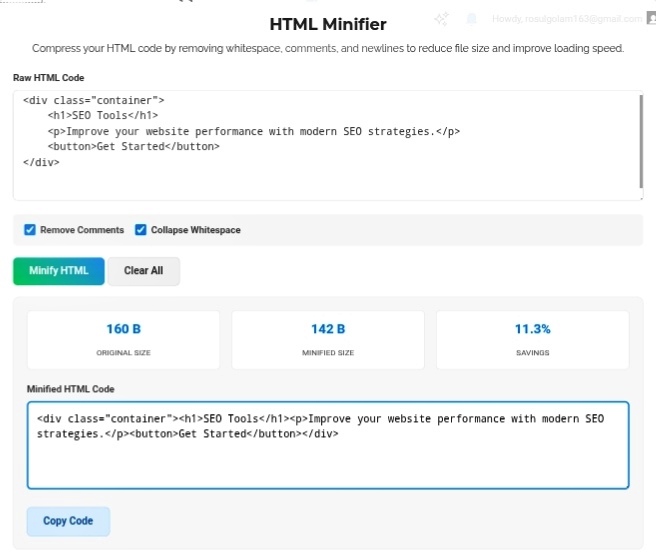
Now? I keep two versions. Raw, beautiful, commented HTML for editing. Minified, compressed, stripped HTML for production. Paste into the tool, hit minify, deploy. The tool shows me exact savings — “Reduced by 38.2%” — and honestly? It’s weirdly satisfying to see those numbers drop.
Pro tip: Always keep your original file. Always. The minified version is for your live site only. Don’t try to edit compressed code later unless you enjoy pain.
Bottom Line
Page speed isn’t a nice-to-have anymore. It’s survival. HTML Minification is one of those “set it and forget it” optimizations that quietly pushes you up the rankings while your competitors wonder why they’re stuck on page two. Clean code for editing, compressed code for users. That’s the split every serious site needs.
Go minify your HTML right now. Your visitors (and Google) will notice the difference. https://seobricxtool.com/4884-2/