
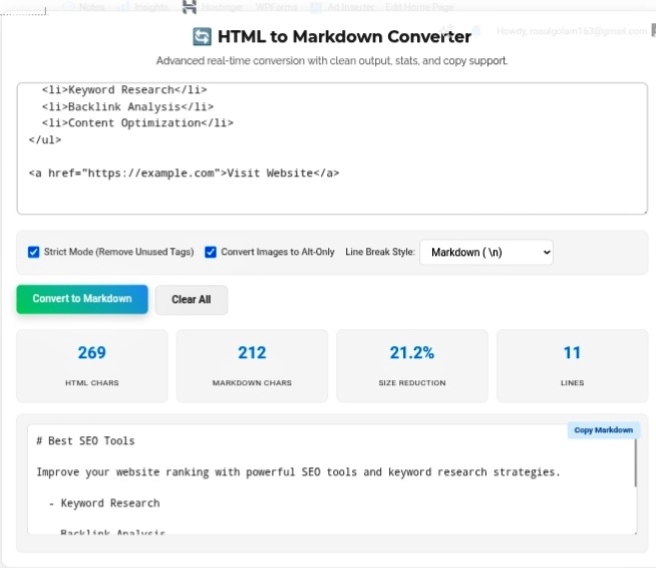
Let me ask you something. When was the last time you actually enjoyed reading raw HTML? Like, genuinely enjoyed it? Never, right? Because HTML is a nightmare to look at. All those angle brackets, closing tags, nested divs inside divs inside more divs… it’s exhausting. And don’t get me started on legacy content from old WordPress exports or database dumps — pure chaos. That’s exactly why the HTML to Markdown Converter exists. It’s not just a nice utility; it’s basically a sanity saver for anyone who touches code or content regularly.
Why Markdown Just Makes Sense
Okay, let’s compare. You want bold text. In HTML, you’re typing
Bold Text . That’s what, 30+ characters? In Markdown? Bold Text . Done. Twelve characters. The difference isn’t just about typing less — though that’s nice — it’s about readability. When you open a Markdown file, you actually understand what’s happening without mentally parsing tags. Your brain thanks you.
And here’s the thing most people miss: file sizes actually shrink. Our tool literally shows you “Size Reduction” metrics because stripping out all that HTML bloat genuinely makes files smaller. When you’re dealing with hundreds of pages, that adds up. Faster loads, cleaner repos, happier teammates.
Speaking of teammates — not everyone on your team is comfortable diving into raw HTML. I’ve worked with content managers who straight up refuse to touch angle brackets. Markdown? They get it instantly. No training needed. Collaboration becomes actually possible instead of a constant battle over who broke which tag.
Where This Actually Fits in Real Workflows
Look, if you’re using GitHub, Obsidian, Notion, or Hugo — and honestly, who isn’t these days — you’re living in Markdown. It’s the native language of modern tools. But what about all that old content sitting in HTML format? The stuff exported from your ancient WordPress site or pulled from some database nobody remembers building? That’s where the converter bridges the gap.
Our tool doesn’t just blindly strip tags and hope for the best. It strictly parses your input, removes the junk you don’t need, and preserves the actual semantic structure. Your headings stay headings. Your links stay links. Just cleaner. Just better.
The Benefits Nobody Talks About Enough
Documentation management — Technical docs in Markdown are infinitely easier to maintain. I’ve seen teams reduce their doc update time by half just by switching formats. No more hunting through nested tags to change one sentence.
Git efficiency — Smaller diffs mean cleaner version control. When you commit changes, Git doesn’t have to wade through lines of HTML noise to find what actually changed. Faster reviews, fewer merge conflicts, less hair-pulling.
Security hardening — This one’s huge and nobody mentions it. HTML can hide dangerous inline scripts, event handlers, all kinds of nasty stuff. Converting to Markdown? It strips that junk out automatically. Before you publish anything new, run it through the converter. It’s like a free security scan.
My Honest Take?
Whether you’re migrating a blog, prepping content for a developer project, or just trying to clean up years of accumulated digital mess — keeping your markup lean isn’t optional anymore. It’s essential. The web is moving toward simplicity. Static sites, documentation platforms, modern CMSs — they all want Markdown. An HTML to Markdown converter isn’t just a tool; it’s your ticket to staying relevant without drowning in tag soup.
Go convert some HTML and see how much cleaner your life gets.https://seobricxtool.com/4898-2/
